A brand new(and efficient) way to implement Paging
Here is a link I bumped into while doing some R&D. As usual, couldn't stop my self... and posted it here. http://weblogs.asp.net/scottgu/archive/2006/01/01/434314.aspx
Here is a link I bumped into while doing some R&D. As usual, couldn't stop my self... and posted it here. http://weblogs.asp.net/scottgu/archive/2006/01/01/434314.aspx
As you all know, now I've got what I always wanted, I am kindda free now, so I've decided I'll answer most of the queries you guyz had when I was there. As a part of that, here are the online resources I use a lot :
Non-Microsoft Subscriptions I Use
SDTimes.com
Redmondmag.com
101Communications.com(For Free Subscriptions)
MCPMag.com
ENTOnline.com
Tcpmag.com
Microsoft Subscriptions I Use
MS Architecure Journal - Hard Copy as well as Soft Copy:D
MSDN Flash India and International
MCP Flash
Microsfot Security bulletin and Notifications
TechNet Flash
Mobile PC
Sites I Use
TechTree.com
Experts-Exchange.com
CodeProject.com
bytemycode.com
PCQuest.com
msdn.microsoft.com
geekinterview.com
google.com
Recently I got a a mail clearly asking information regarding Archive Bit that is available on FAT32, NTFS and its implications from Developer's perspective. So here is an article that will try to throw some light on this topic.
According to PCMAG : A file classification that indicates whether the file has been updated since the last backup. A bit is set in the file directory to indicate the archive status. When a file is created or saved, the bit is turned on. When it is backed up, the bit is turned off.
and technically its a file attribute controlled by the high-order bit of the t3 byte (FCB + 11) in a directory element. This attribute is set if the file has been archived.
Here is a VBScript code sample that shows how to access File Attributes.
http://sallisawok.org/caspdoc/html/vbscript_file_object_attributes_property.htm
Google has launched yet another Developer friendly service yesterday ie Google CodeSearch(http://www.google.com/codesearch).
It's a search engine developed for developers and it provides an interface to use RegEx to search code snippets they are looking for. I didn't try it much as now I am headed to some other things... I felt it will be extremely useful to you people.
Google Code Search helps you find function definitions and sample code by giving you one place to search publicly accessible source code hosted on the Internet. With Google Code Search, you can:
- Use regular expressions to search more precisely
- Restrict your search by language, license or filename
- View the source file with links back to the entire package and the webpage where it came from
I was looking at the newsletter from CodeProject and got my eyes on this kewl article. Have a look at this tiny (aaaargh) article.
Hey hey.... it's been a long long time... I agree... yes.... its been a long time... had gone through many things in last 6 months, got VNS Series of projects, took part in MS Security Shootout 2006(http://www.securityshootout.com) also decided what I will be doing next few years...of course its Software Development but now I can see it, define it and then it comes to my mind that going on that path I'll need something on my side, some credential/certification and what in this world is better than MS Certifications if you are a .Net Developer? So today was a big day, I went to Crystal Arcade at CG Road, Ahmedabad and I got my first MS Certification i.e. Microsoft .NET Framework 2.0 - Application Development Foundation C# (70-536). The exam was tough but the MSDN2, Virtual Labs and Visual Studio Express/Beta editions I used was sufficient enough to crack it. And I got it done, it took time, but it was done. And now I am heading towards the Final Destination for a Developer lets see how does it rolls out....
Many of my friends recently asked me about GAC and the Side by Side Versioning support .Net provides. After doing a lot of R&D, one of them came up with a question like this : How to use two different versions of an assembly by using a GAC. He knew how to add Assemblies to GAC so that was not at all a problem, infact, if you refer to HOW TO: Install an Assembly into the Global Assembly Cache in Visual Studio .NET its pretty simple. However, after you add it to GAC, the .Net IDE doesnt show you those assemblies, listed in Add Reference Dialog Box.
After searching MS KB, I got an easy way to do that, here it follows :
Open Registry Editor and add the following Key to it.
[HKEY_LOCAL_MACHINE\SOFTWARE\Microsoft\.NETFramework\AssemblyFolders\ESSAssemblies]@="C:\\ESSAssemblies"
Here, ESSAssemblies is the name of the Folder where your Assemblies reside.
The People’s Almanac, pp. 1358–9. (Originally published in The New York Sun in 1897.)
We take pleasure in answering thus prominently the communication below, expressing at the same time our great gratification that its faithful author is numbered among the friends of The Sun:
Dear Editor—
I am 8 years old. Some of my little friends say there is no Santa Claus. Papa says, “If you see it in The Sun, it’s so.” Please tell me the truth, is there a Santa Claus?
Virginia O’Hanlon
Virginia, your little friends are wrong. They have been affected by the skepticism of a skeptical age. They do not believe except they see. They think that nothing can be which is not comprehensible by their little minds. All minds, Virginia, whether they be men’s or children’s, are little. In this great universe of ours, man is a mere insect, an ant, in his intellect as compared with the boundless world about him, as measured by the intelligence capable of grasping the whole of truth and knowledge.
Yes, Virginia, there is a Santa Claus. He exists as certainly as love and generosity and devotion exist, and you know that they abound and give to your life its highest beauty and joy. Alas! how dreary would be the world if there were no Santa Claus! It would be as dreary as if there were no Virginias. There would be no childlike faith then, no poetry, no romance to make tolerable this existence. We should have no enjoyment, except in sense and sight. The external light with which childhood fills the world would be extinguished.
Not believe in Santa Claus! You might as well not believe in fairies. You might get your papa to hire men to watch in all the chimneys on Christmas eve to catch Santa Claus, but even if you did not see Santa Claus coming down, what would that prove? Nobody sees Santa Claus, but that is no sign that there is no Santa Claus. The most real things in the world are those that neither children nor men can see. Did you ever see fairies dancing on the lawn? Of course not, but that’s no proof that they are not there. Nobody can conceive or imagine all the wonders there are unseen and unseeable in the world.
You tear apart the baby’s rattle and see what makes the noise inside, but there is a veil covering the unseen world which not the strongest man, nor even the united strength of all the strongest men that ever lived could tear apart. Only faith, poetry, love, romance, can push aside that curtain and view and picture the supernal beauty and glory beyond. Is it all real? Ah, Virginia, in all this world there is nothing else real and abiding.
No Santa Claus! Thank God! he lives and lives forever. A thousand years from now, Virginia, may 10 times 10,000 years from now, he will continue to make glad the heart of childhood.
http://beebo.org/smackerels/yes-virginia.html
Well... Nokia 6630 was on my wish list since it came out... the fastest S60 mobile in market.
It looks real sleek n sexy...and is packed with tones of features that any techie would love to have....
Dimensions: 110x60x21mm — that's considerably smaller than the 3650. It'll fit in regular pants with no need for funny smiles from strangers. ;)
CPU: 220mhz ARM9 / RAM: 7MB free — that's more than twice the speed of the 3650 (107mhz) and almost three times the amount of RAM available (2.7MB)! You feel the speed instantly when working with the applications, games or even just opening Message Boxes.
Camera: 1.23 megapixel (1280x960) with 3.7mm lens — this takes much, much better pictures than both the 3650 and the 6600 (This is my personal openion) in daylight. Evening shots are still so-so. And there's almost no lag on the shutter. Click and the picture is taken thanks to the faster CPU.
Stereo audio and decent headphones — it's actually possible to enjoy listening to MP3's on the phone now.
3G! — This one is a real 3G phone with Excellent Network support and extremely fast download speed as compared to oldies.
I was more than happy when we were about to launch a Project, we'll call it Project X, everything was fine, it's very well tested in Testing environment, but we never know when things can go wrong. At the day of launching we deployed that Project X to the Servers and it broke within matter of seconds. Well! we stayed till late night and we fixed it and came home, however, what I saw at that time was : Lack Of Communication between counterparts of the organization. The actual story that came out was we were configuring a test setup instead of the real one, so whatever changes we made were done on test setup only 'cause we were not informed that it was a test setup. When an enterpise grows, people have to learn effective communication methods that keeps everyone involved on a same page. I am not saying that we were not wrong, no we were not informed. Without adequate information it'll be difficult for anyone to go ahead and deploy projects like this. but afterall we learned new things, things that will help us in future when we deploy projects. Moral of the story is : When you are gonna do something, DOCUMENT it, inform concerned people about the things you are going to do. DO NOT make Assumptions or it'll come back to you.
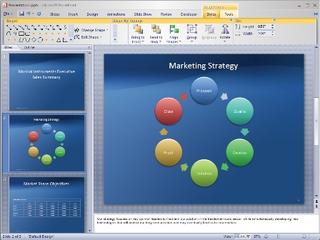
Access

Excel
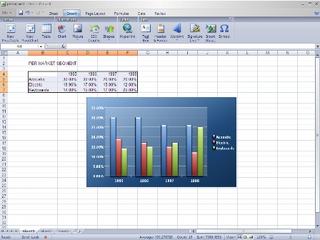
Word

Hi All,
Today, I got ready early in the morning, it was raining out there, sometimes I wonder, is there something I've to do with monsoon? it drives me crazy when I see its raining... anywayz! I reached RCC at 1, and than I waited till 3 to get in to the process, it was funny, but I forgot to
carry a pen... so had to borrow all the times I needed to fill/sign the form. but at last I got it.
I was lookin towards LD...and yeah... I got it... Now I'll be doin my MCA from LD.
well! thats enough for today... see ya tomorrow...
Hi Guyz,
Here follows an article that will change your world of web application.
How you code them, how you use them, how you persive them... Everything
that you have seen so far in Web Applications is gonna go nuts once you
see this. This is something that will help us to go beyond the
Edge(That's ESS Style...) of Web Apps... so here we go... say welcome
to the NextGen technology - AJAX
Regards,
Chinmay
Hi Guyz!
I m back after such a long period..... I got some time to take a breath... huh... man! I m telling you... those were days... toooo busy....I cant beleive that I can
work so hard ;)
btw, I'll be posting some cool pics and clips which I recently took during this
rainy season
ASP.NET introduces new functionality that allows you to view diagnostic information about a single request for an ASP.NET page simply by enabling it for your page or application. Called tracing, this feature also allows you to write debug statements directly in your code without having to remove them from your application when it is deployed to production servers. You can write variables or structures in a page, assert whether a condition is met, or simply trace through the execution path of your page or application.
One interesting feature comes built in with .Net Framework is : Trace Viewer.
To Test this functinoality you have to enable tracing in your application. Change <Trace>
<trace enabled="true" requestLimit="10" pageOutput="false" traceMode="SortByTime" localOnly="true" />
Once you have enabled tracing for your application, each page in the application will execute any trace statements that it contains when it is requested. You can view these statements and the additional trace information in the trace viewer by requesting Trace.axd from the root of your application directory.
Note When you enable tracing for an application, you can view the trace statements, and additional information, in any page in the application by setting the pageOutput attribute to true in the Web.config file.The trace viewer allows you to choose a specific request from the pages that have been requested from your application.
Well, if you are still using Classic ASP, than here is a similar utility for you. Click Here download.
So Friendz, here is a Quick Walkthrough to create an Image using Norton Ghost 2003...(This one was requested by my friend.... DJ)
1. Click on Backup
2. Select Physical Disk
3. Select Partition, you can use CTRL to select Multiple Partitions
4. Select Destination - File
5. Browse to the location where you want to save the Image, you can't store it on the same partition of which you are making Ghost Image.
6. Now, you can configure Advanced Settings(They are beyong the scope of this walkthrough)
7. Now it will show you task summary. click on Run Now.
8. it will reboot your computer and then you'll be provided option to perform Ghost Image Operation or cancel it.
9. if you select to perform Ghost Image operation, it'll create a ghost Image of selected partition/s.

 Posts
All Comments


